Documentation
Everything HOSTit does
Ten short sections. Each screenshot is the real product.
On this page ▾
Publish your first document
Drag any file onto the drop zone on the Documents page (or click it to browse). PDFs, images, spreadsheets, archives — anything goes.
Give it a display name and, on Pro, a readable URL slug like /d/employee-handbook. Hit Publish document and the permanent link is live immediately — no build steps, no waiting.

Find and organise documents
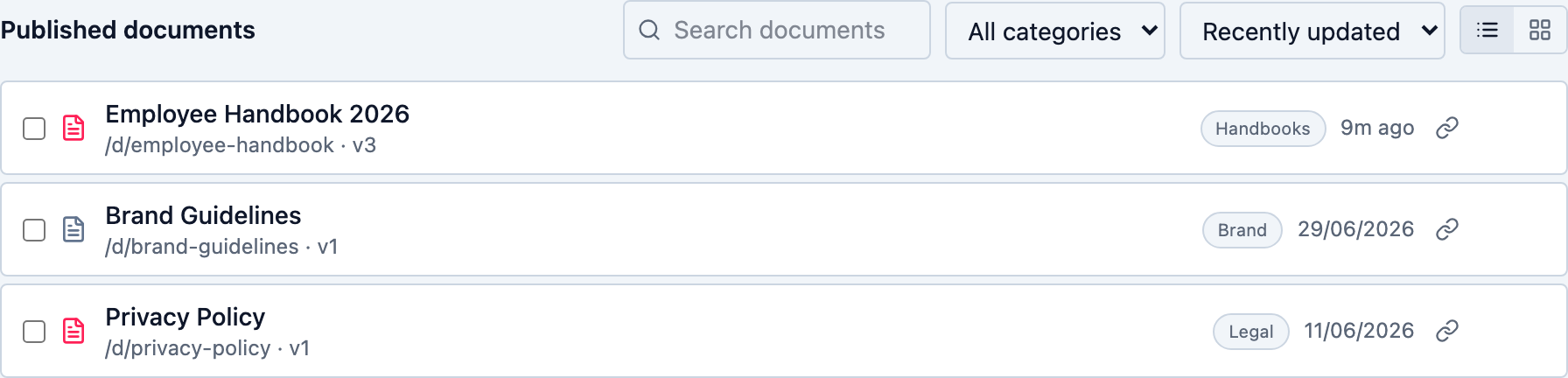
The list shows every published document with its public path and current version. Use the search box to match names, slugs, or descriptions, filter by category, change the sort, or flip between list and card views.
The link icon on each row copies the public URL without opening the document. Select multiple documents with the checkboxes for bulk category changes or deletion.
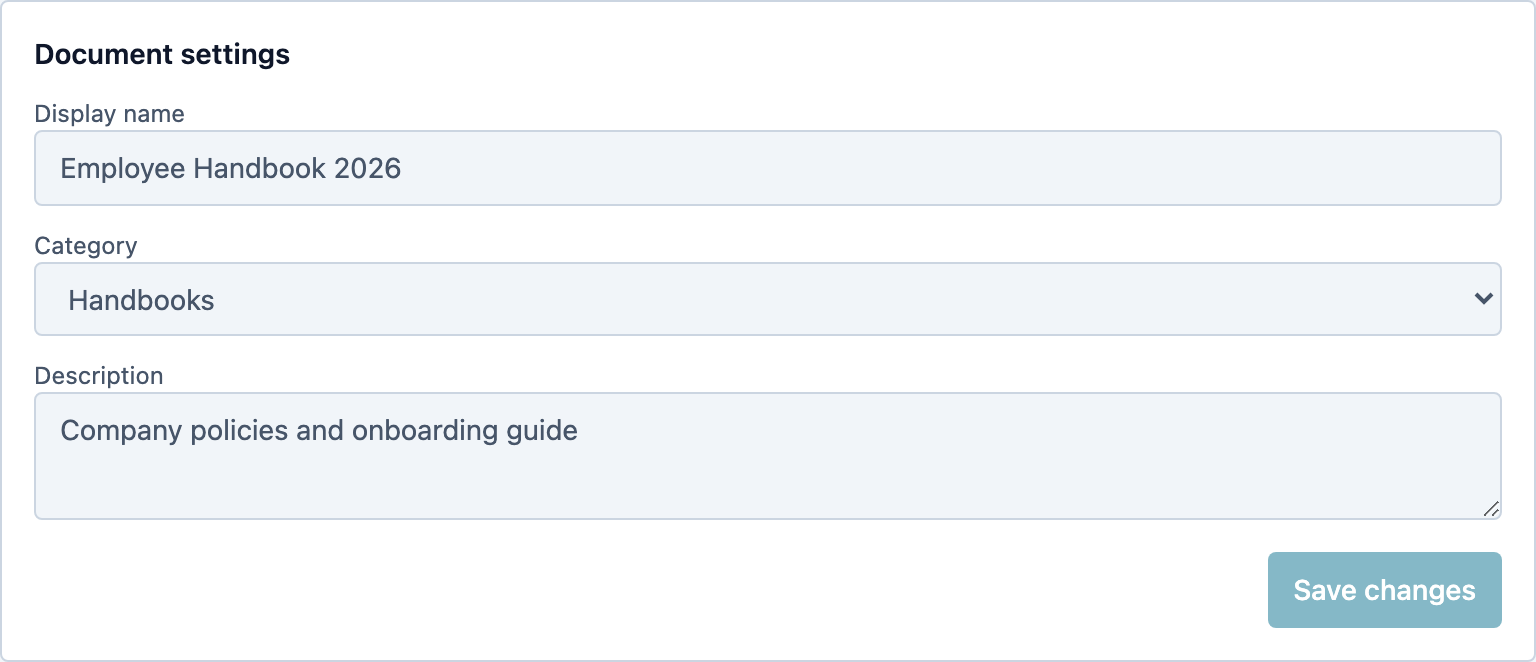
Document settings
Each document has a display name, category (create new ones right in the dropdown), and description. Image and PDF documents show a preview thumbnail — click it for a full-screen, zoomable view.
The bell icon next to the title subscribes you to email notifications whenever a new version of that document is published.
Public links
Every document exposes three URLs: the view URL (renders inline), the download URL (forces a file download), and the meta URL (JSON with version, filename, and size — handy for scripts).
These links never change when you upload new versions. Embed code and Markdown snippets live on the Sharing tab; changing the URL itself happens on the Advanced tab via Update link.

Versions and rollback
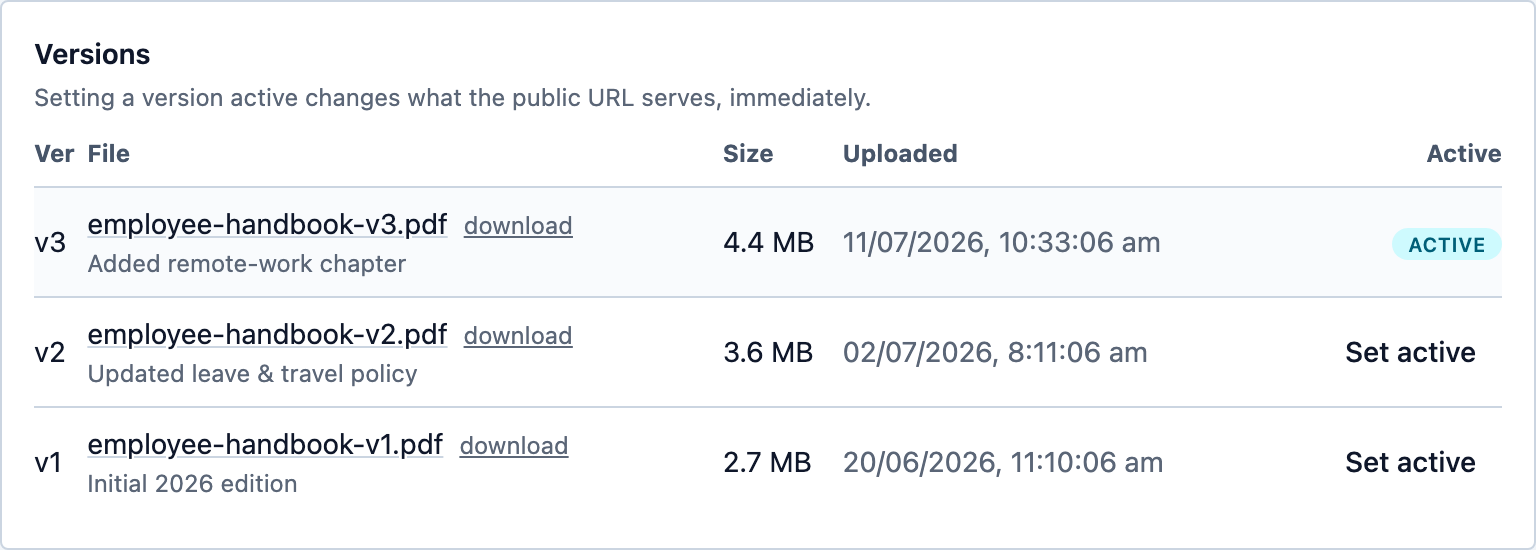
Uploads are append-only — nothing is ever overwritten. Each version records its file, size, upload time, an optional what changed note, and per-version links so you can inspect an old file before restoring it.
The Active column shows which version the public URL serves. Click Set active on any version to roll back (or forward) instantly. You can also schedule a version to go live at a specific time.
Expiring share links
Share links (/s/…) are temporary alternatives to the permanent URL: give them a lifetime (24 hours to never) and an optional maximum number of opens, and revoke them any time.
They deliberately bypass password and host restrictions — the link itself is the authorisation — which makes them ideal for sending drafts outside your organisation without exposing the canonical URL.

Traffic analytics
The Traffic tab answers "did anyone open it?" — total views and downloads, a 30-day trend, and a detailed chart of daily activity.
Below that, the interaction table lists every open: date and time, view vs download, how it arrived (direct, website, email, search, social, share link), the referring site, device type, browser, and country. Email-gated documents also record the verified viewer.

Passwords, host locks, and email gates
Workspace-wide defaults (allowed hosts and an access password) are set in Settings → Access controls; any document can override them from its Advanced tab — stricter or looser.
The verified work email gate goes further: viewers must confirm a company email address (personal Gmail/Outlook-style addresses are rejected) via a one-time code before the document opens, and their identity appears in your analytics.

Your own domain
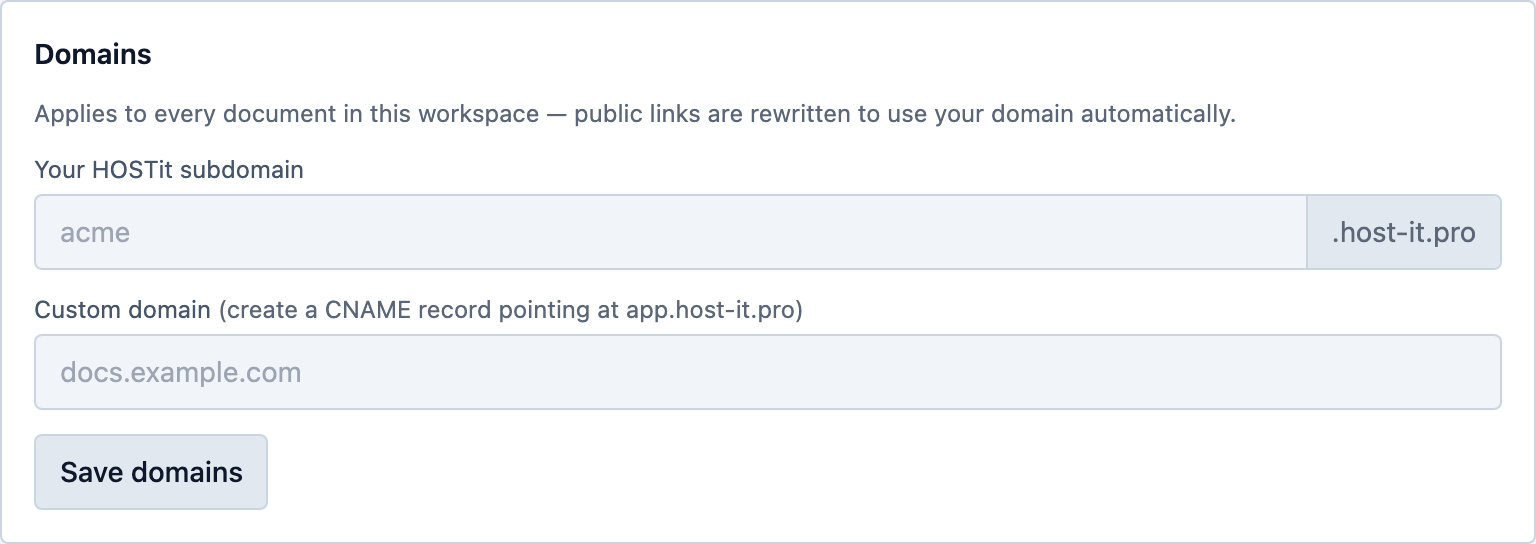
Pro workspaces claim a yourname.host-it.pro subdomain instantly — every public link rewrites to it automatically, TLS included.
Prefer your own domain? Enter it, create one CNAME record at your DNS provider, and use the built-in Check DNS button to verify. Certificates provision automatically.
API tokens and automation
Create scoped tokens (viewer / editor / admin, optional expiry) in Settings → API tokens and drive everything over REST: publish, upload versions, roll back, create share links, read stats, even import a file straight from a URL.
The full interactive reference lives at /api/docs on your workspace — every endpoint documented with schemas.

Webhooks
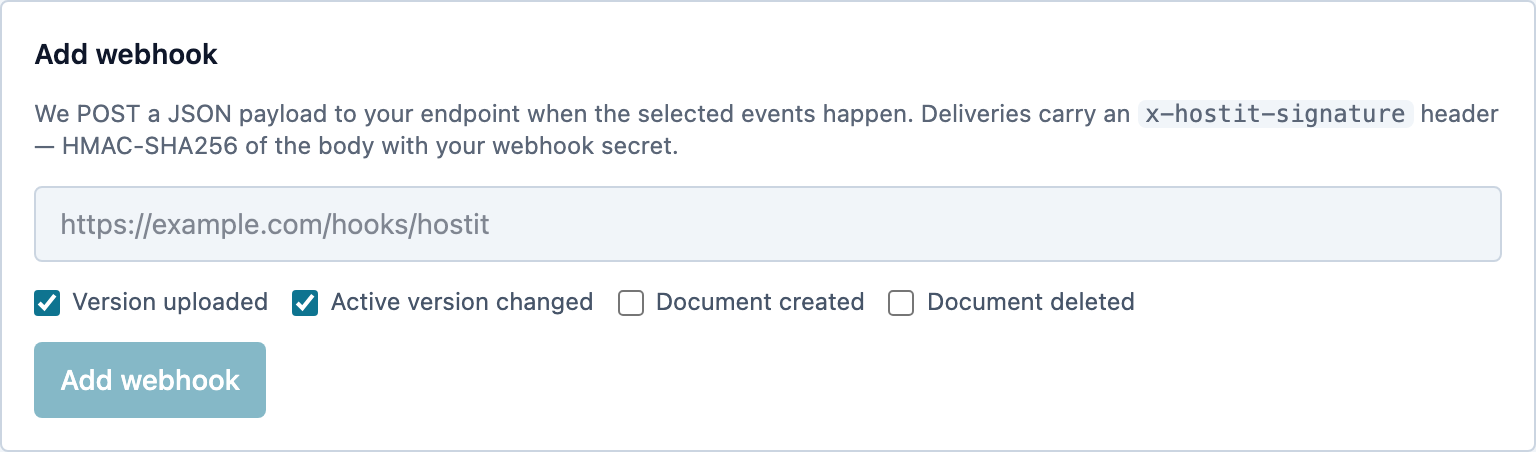
Get an HTTP POST whenever a document is created or deleted, a version is uploaded, or the active version changes. Deliveries are signed with HMAC-SHA256 (x-hostit-signature) so your endpoint can verify authenticity.
Delivery status for each hook is visible in Settings, and the signing secret is shown exactly once at creation.
Try it with your own document
Free plan, no credit card — publishing takes under a minute.
Create your workspace