How it works
Publish once. Update forever.
The whole product in four steps — this is exactly what you'll see after signing up.
- 1
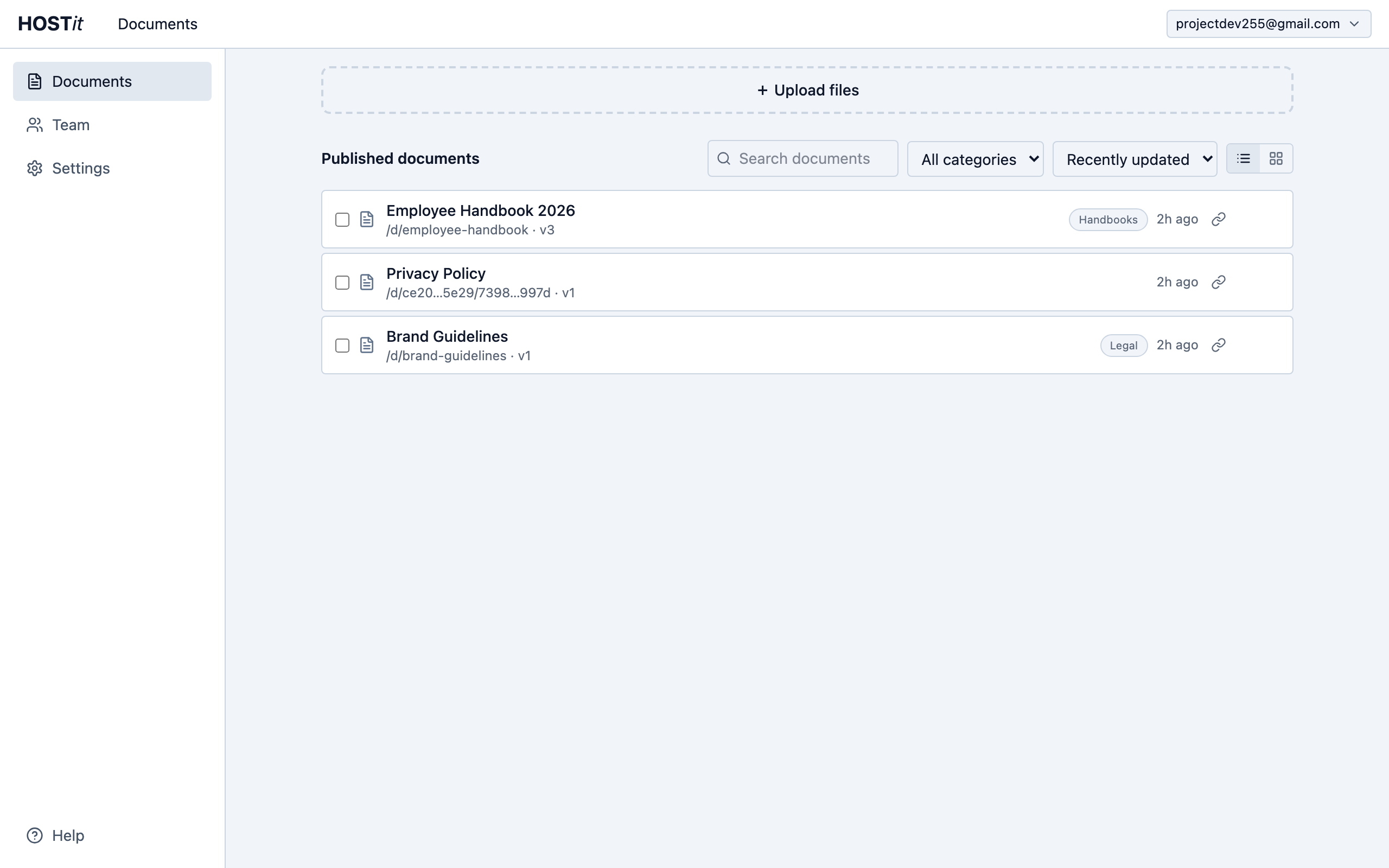
Upload your document
Drop any file onto the Documents page — PDF, image, spreadsheet, anything. Give it a display name, an optional description and category, and (on Pro) a readable URL slug like /d/employee-handbook. Publish, and the permanent link is live immediately.
- 2
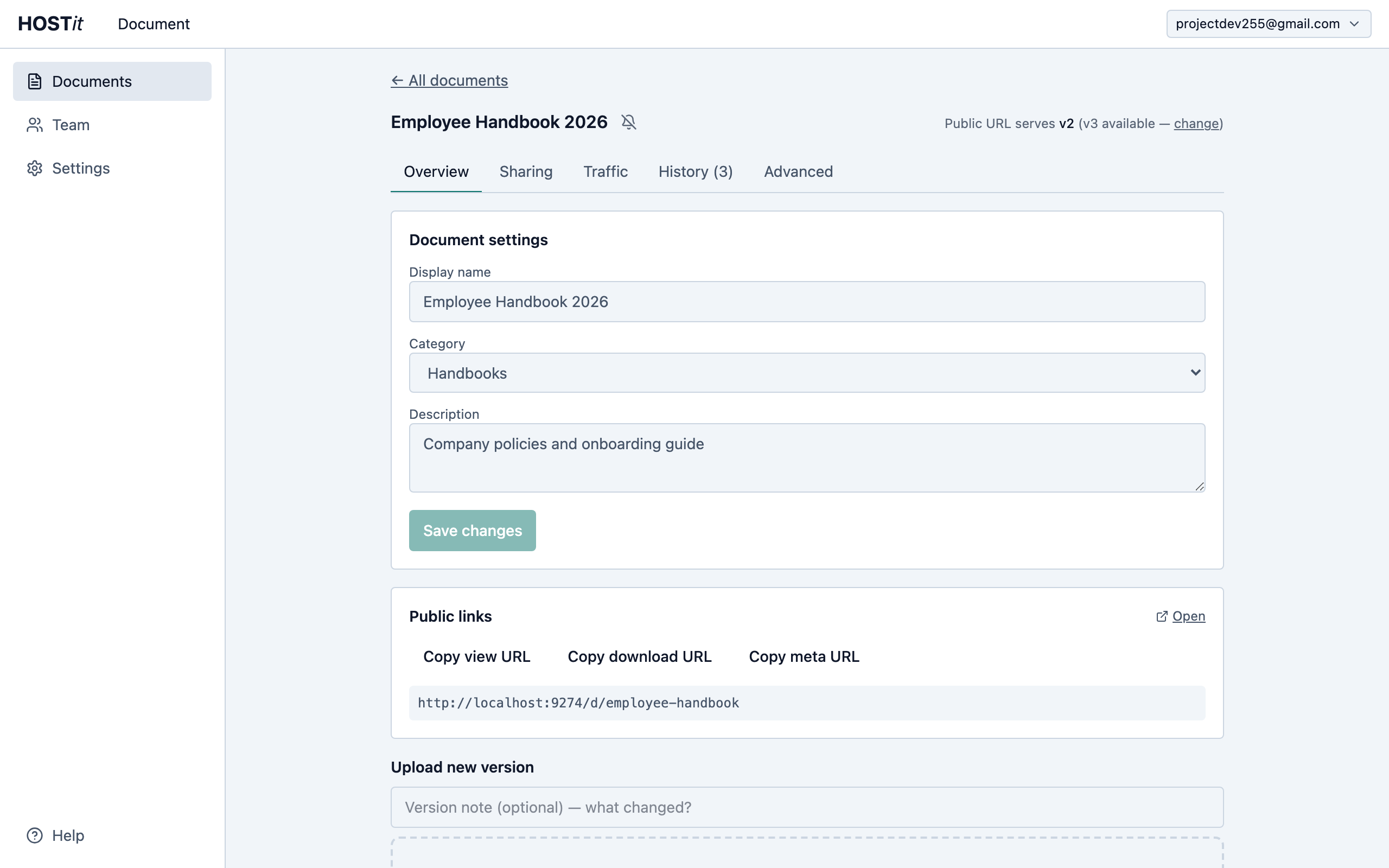
Share one permanent link
Every document has a stable public URL — copy it, open it, or grab an embed snippet. Anyone with the link can view the file without signing in. The link below never changes, no matter how many times you update the file.
- 3
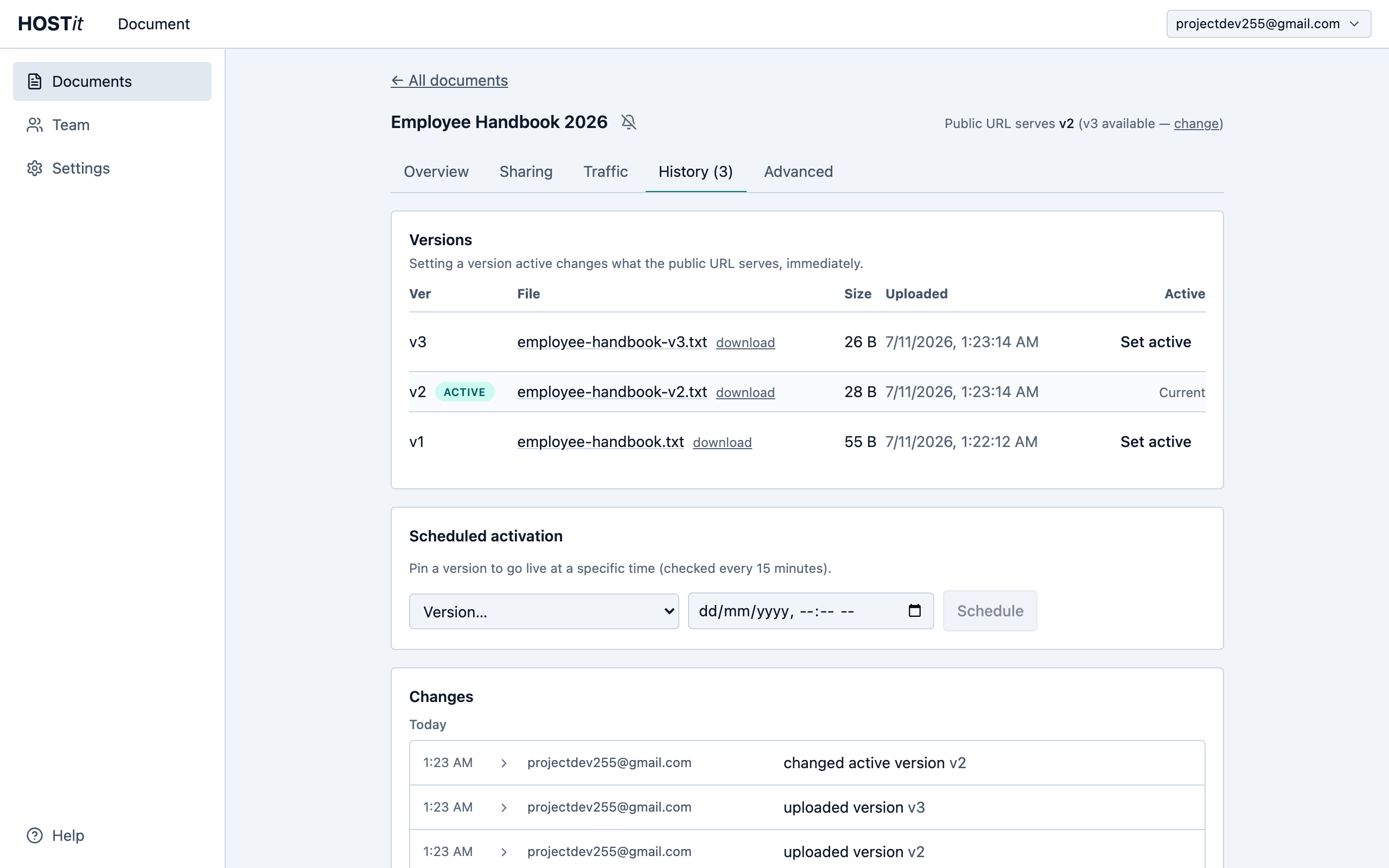
Update it forever — the link never breaks
Drop a new file onto the document any time. Versions are append-only: nothing is overwritten, and the History tab keeps every upload with notes on what changed. Shipped the wrong file? Click “Set active” on any earlier version and the public URL serves it instantly.
- 4
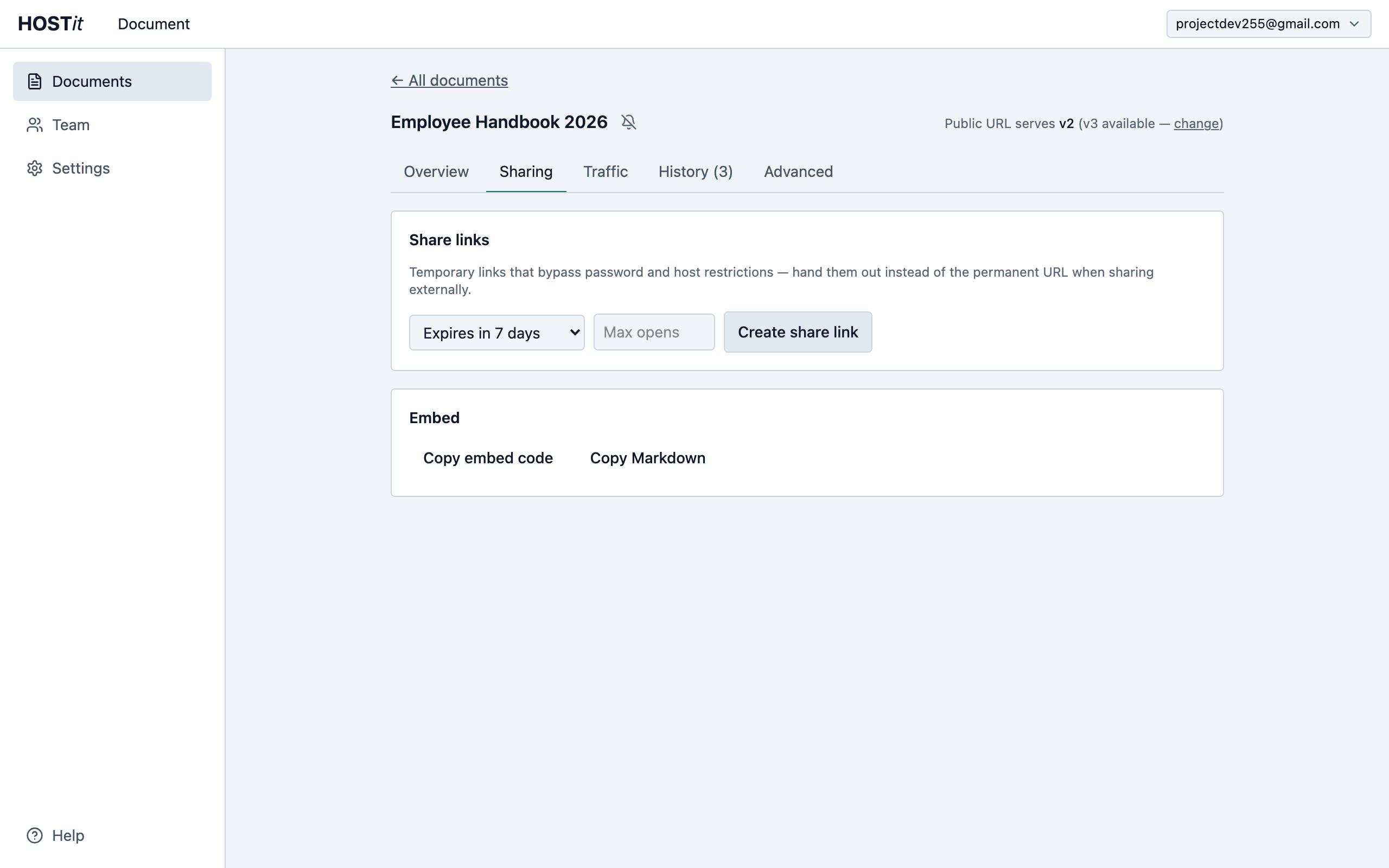
Share safely with expiring links
Need to send a draft outside the company? Create a share link that expires after a time limit or number of opens, and revoke it whenever you like — without ever exposing the permanent URL. Pro workspaces can also password-protect documents and serve everything from their own domain.
Ready in under a minute
Free plan includes permanent URLs, unlimited versions, and team workspaces.
Create your workspace